]]>
You can select a user to set up as assistant manager(sub-admin) and then change the permissions to an administrator in the permissions group settings.
There is no name as a sub-administrator, and the creator who created the app gives the app user administrator privileges to manage and operate the app together.
☞
]]>]]>
First, please set the App Subscription Policy, app privacy to “Private” by going to Manager -> Services -> Policy page. If you set it to private, users who install the app will have to sign up unconditionally. Once you have registered, you will receive a message that says “It is available after the administrator approval”
*Administrator can change their status to ‘Verified’ from Unauthorized by selecting only the desired members from the membership list on the Push & Members -> Member Views page.
*Users who are approved will use the app normally, and if they don’t get approval, they won’t be able to use the app.
]]>
You can apply after purchasing the Google AdMob Application Plug-in product from the Swing2App plug-in purchase page. After you make a payment, you can create a Google AdMob account and provide your account ID. Approximately 2-3 days after application, the application will be completed in the app. Swing2App only does the initial set-up of Admobs, and all ad revenue from the app goes to the user. For more information on how to apply for admobs, please refer to the manual.
]]>
If you change the link format as above, you can watch the video even within the web page.
]]>]]>
However, if you do not add capacity, the use of the app will be suspended after 3 days from the capacity exceeded.
* If the capacity is exceeded, we will notify you by email or text.
The suspension of the app due to the excessive capacity is the same as the expiration of the usage period.
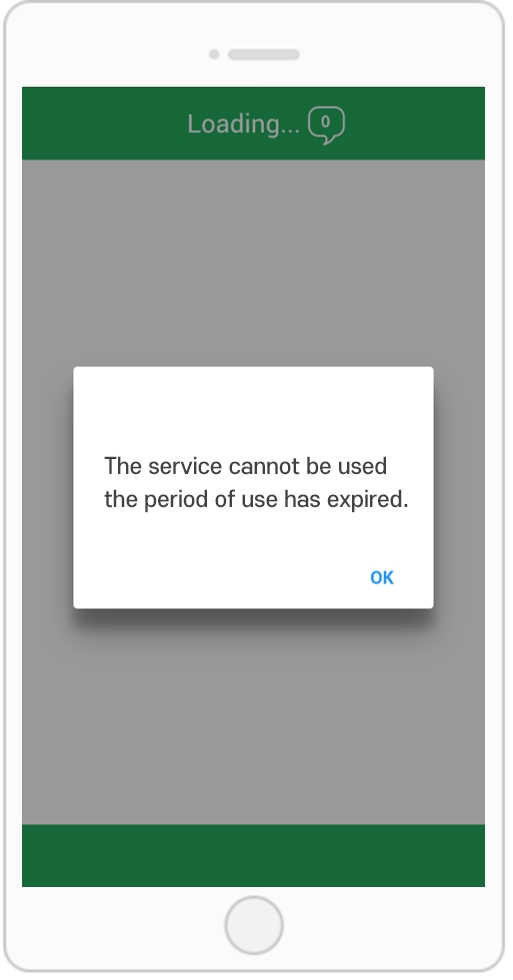
The app will not be deleted, but when you launch the app, the message ‘Payment period has expired’ will appear and the app will not run.
Users who have previously downloaded the app from the market are also restricted from using the app as the corresponding message appears.
Therefore, if the capacity is exceeded, please purchase and apply the additional capacity product.
We will give you a maximum of 3 days, so please add it within that period.
]]>