Admin can make group in Swing2App which will have special privileges for the app content. Many a times user wants to have a tab strictly for few members only in this case grouping in one specific group is best solution.
Let’s check out the functioning of special group creation with some examples.
|
Sample 1. Hair and Beauty Salon Shop Name Swing Salon |
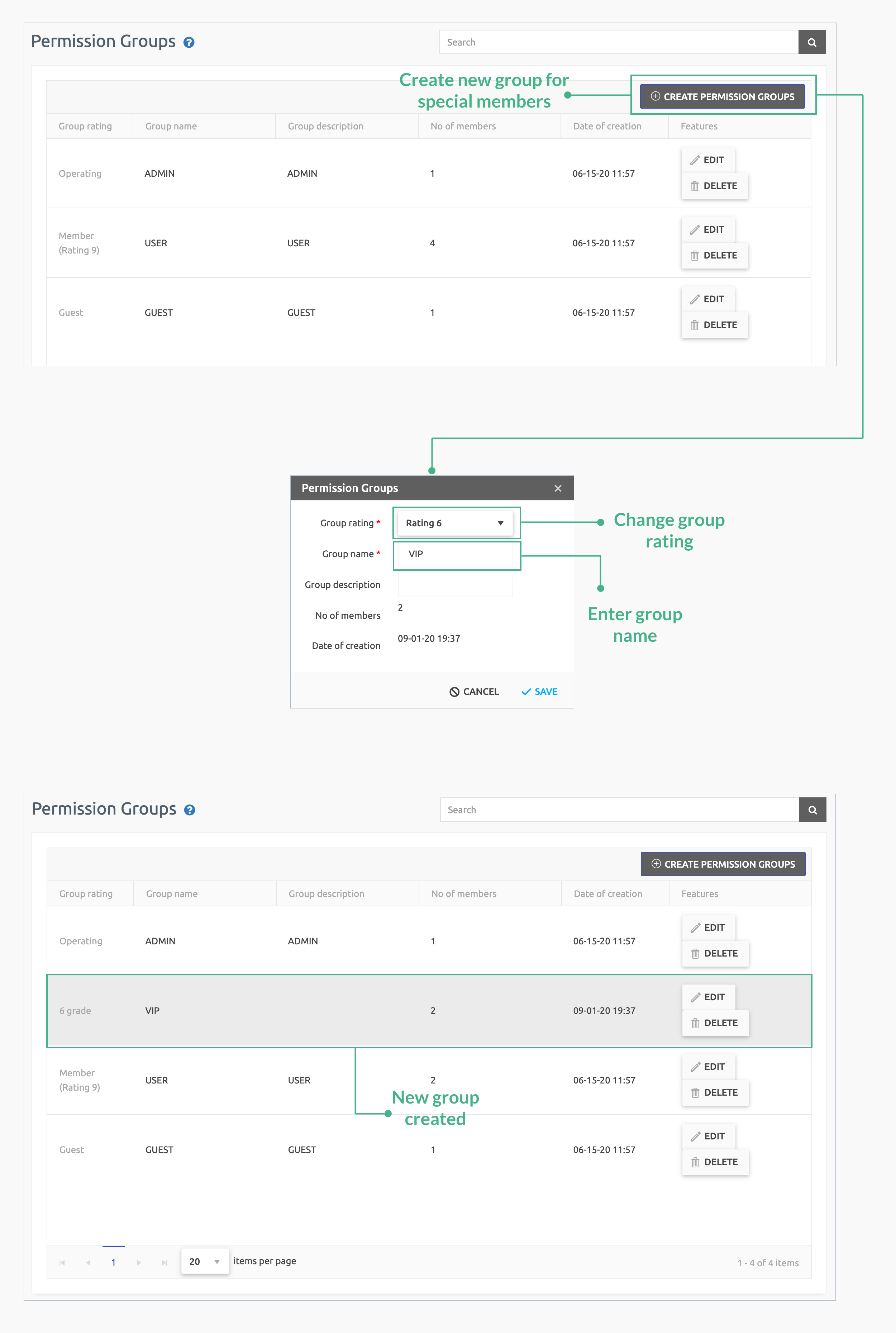
| 1. | As an admin, a specific group will be made for VIP members only. Only VIP members of that group can access the content rest others will be notified of access denied. Guide to set a members group |
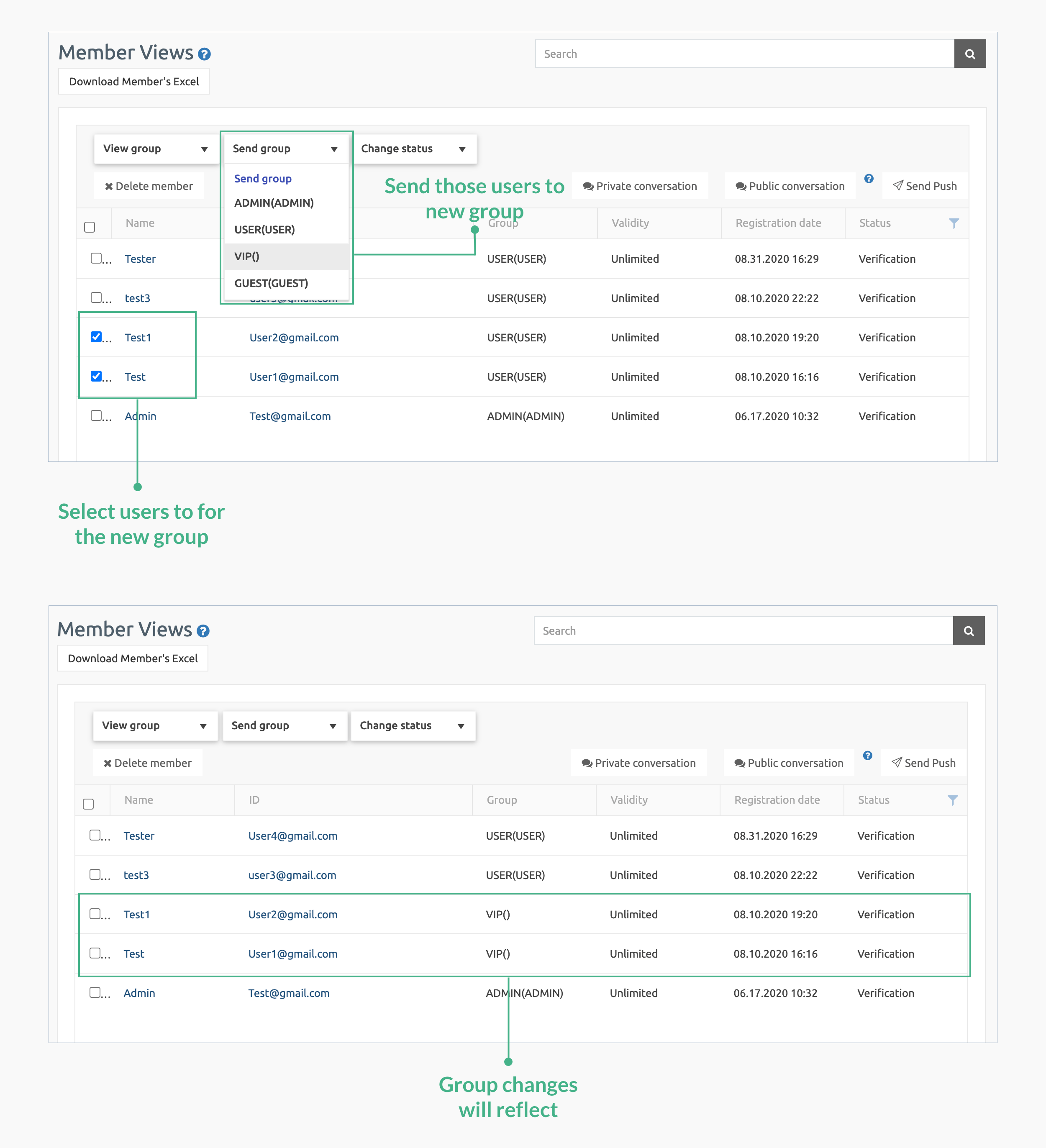
| 2. | Admin will assign some members for that group. Check the image below: |
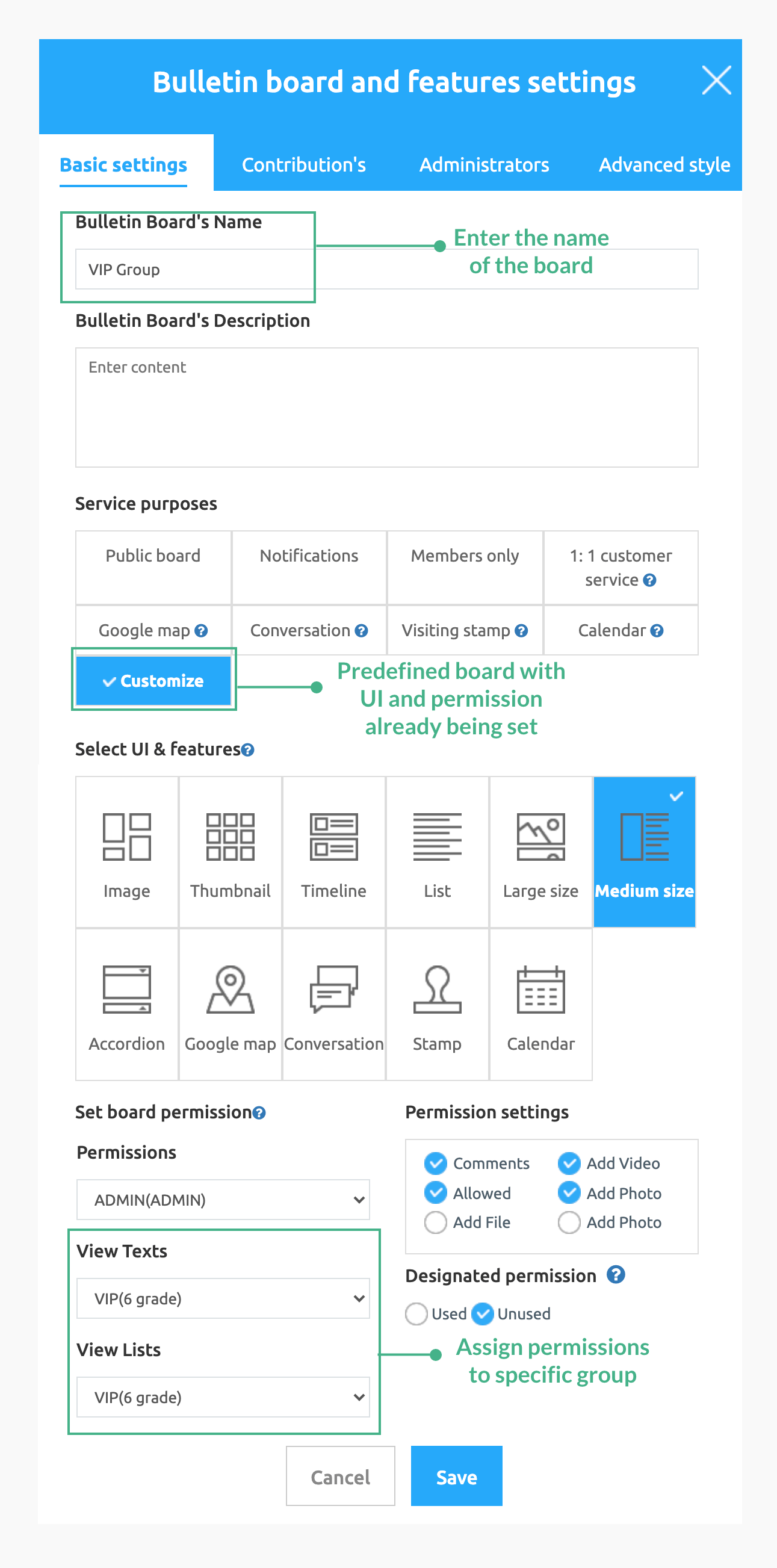
| 3. | Now admin will made a board with VIP group permissions. Check the image below: |
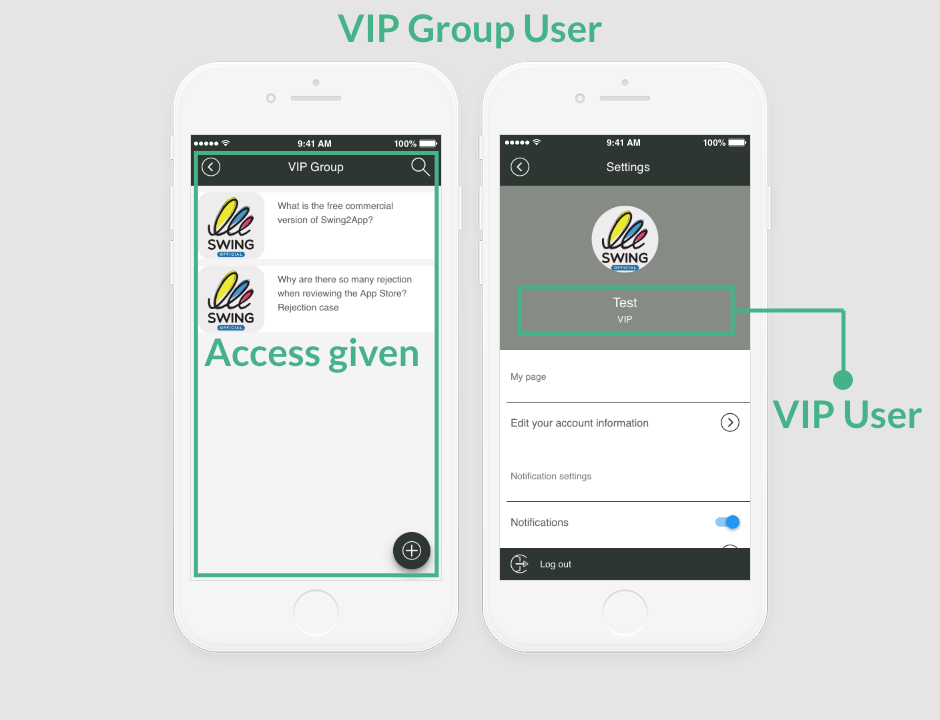
| 4. | Users of VIP group can access the board. Check the image below: |
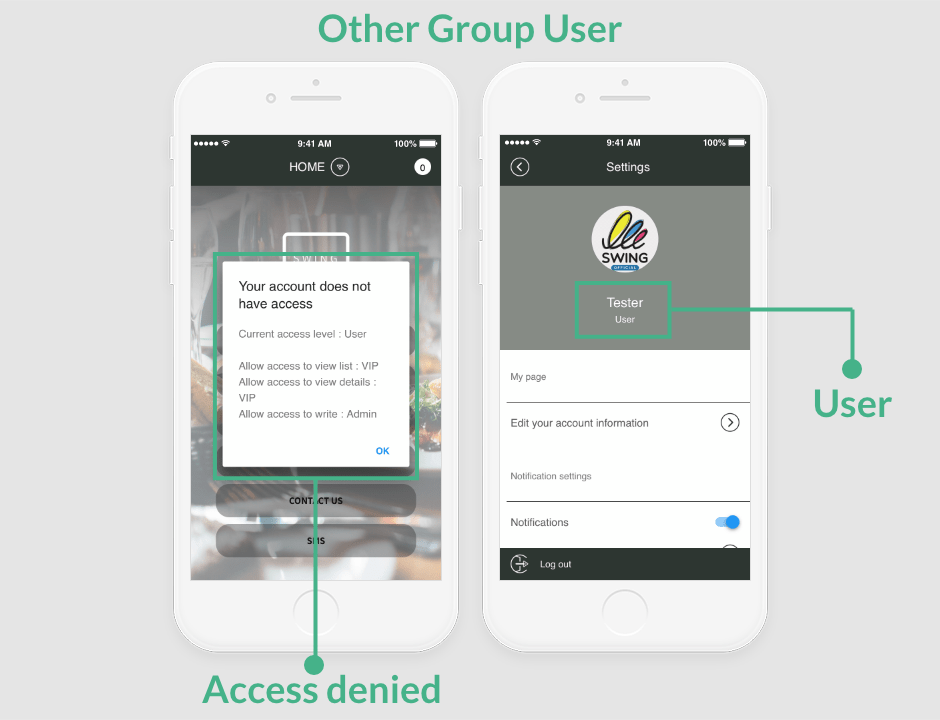
| 5. | Users of other group will be denied access. Check the image below: |